
 Español
 Français
 Kreyòl ayisyen
 Italiano
 日本語
 Português
 Русский
 中文
Electronic prescription
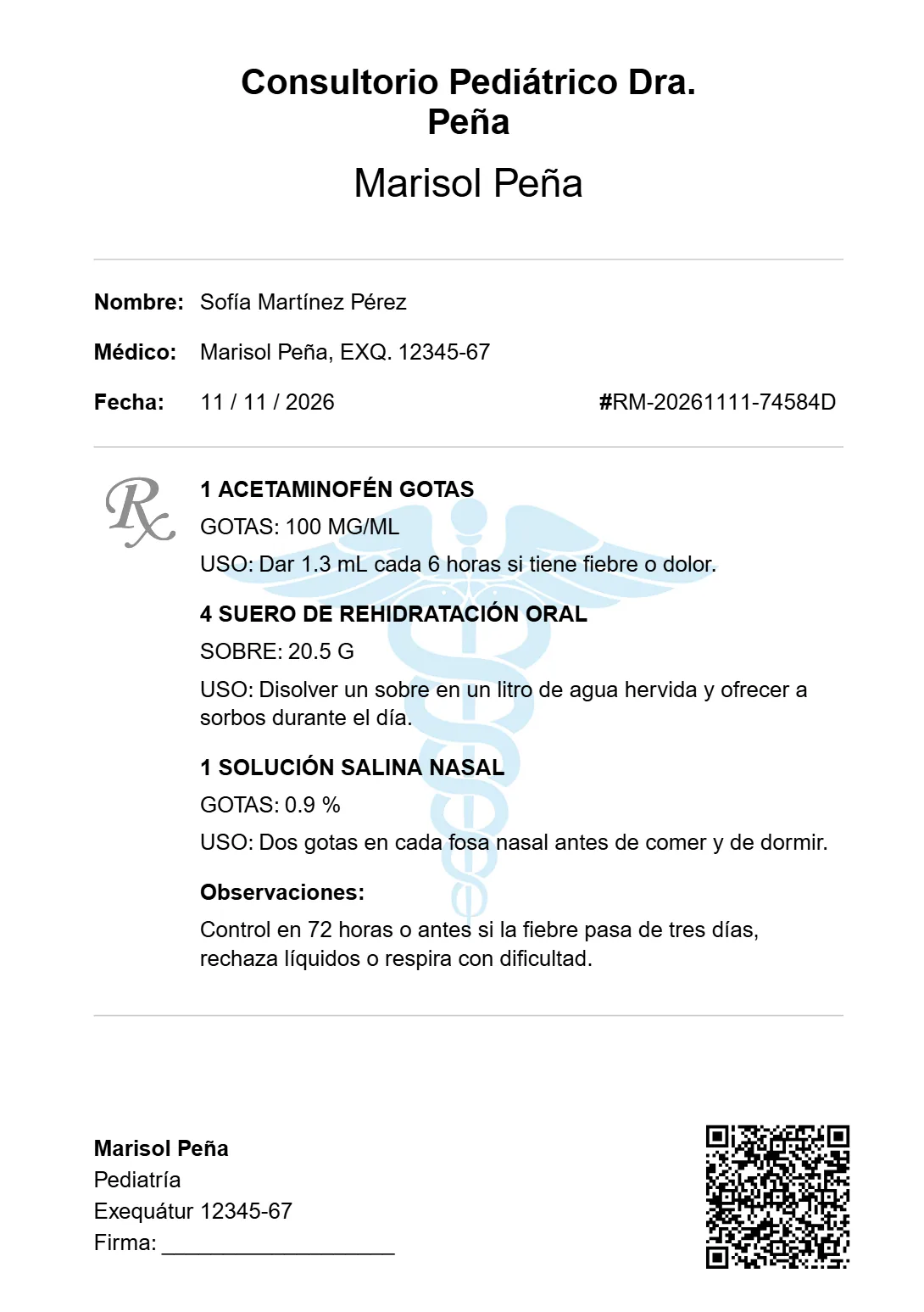
Medika's electronic prescription takes seconds to write and comes out as a PDF with your signature, your stamp and your medical license number. It reaches the patient by WhatsApp or email, or on paper if you prefer to print it.
In every plan.
The prescription, from the patient's record
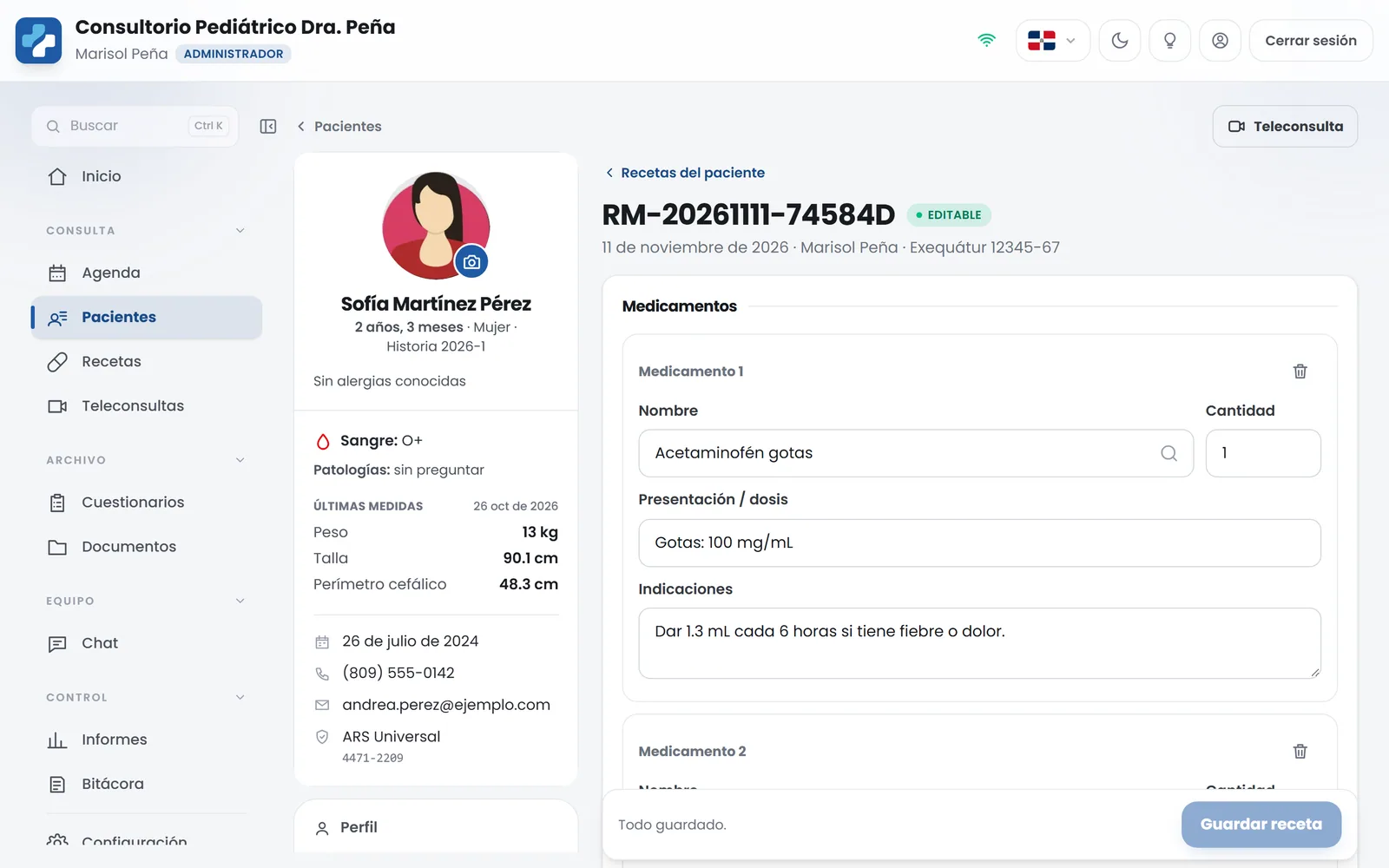
You open the patient, write the medications with their dose and directions, and the prescription is linked to their history. From the prescription list you can see and search the prescriptions of all your patients.
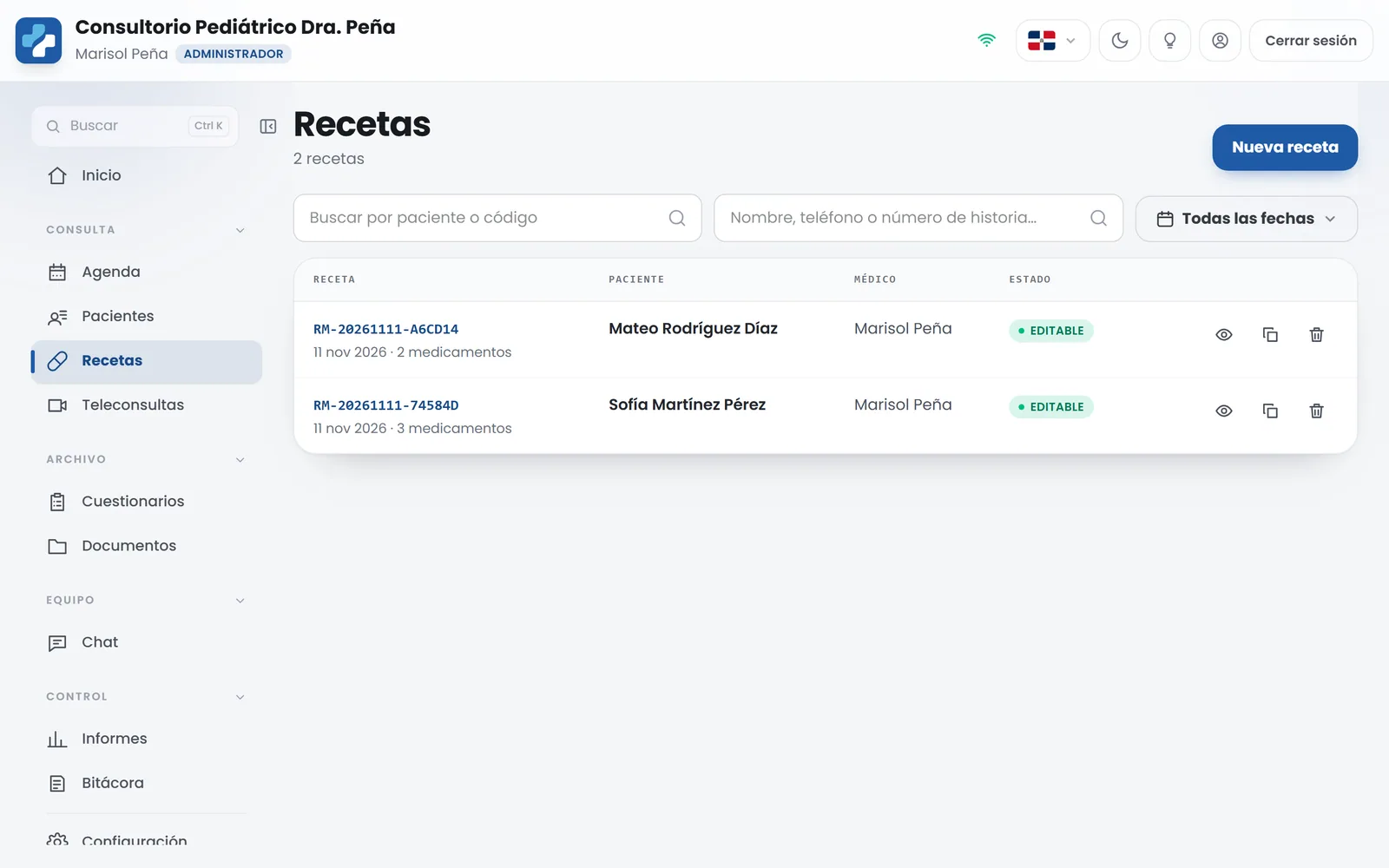
How to write a prescription
From the patient's record or from the prescription list, without typing their details again.
Type the medication
The name is completed with its form, from a catalog of more than 900 medications. If you use one that isn't there, you add it to your own.
Enter quantity, dose and directions
With as many medications as you need in the same prescription.
Choose how it looks
The medical center, the signature and stamp, the QR code and the paper size: letter, A5 or A6.
Save it and hand it over
It gets its code, in the form RM-YYYYMMDD-XXXXXX, and goes into the patient's history. You print it, download the PDF, or send it by email or WhatsApp.
What's printed on it
- The medical center's logo and details
- Your name, your specialty and your medical license number
- The patient's name, the date and the code
- Each medication with its form and directions
- The image of your signature and your stamp, if you turn them on
- The QR code, if you turn it on
The QR code and the signature, without exaggeration
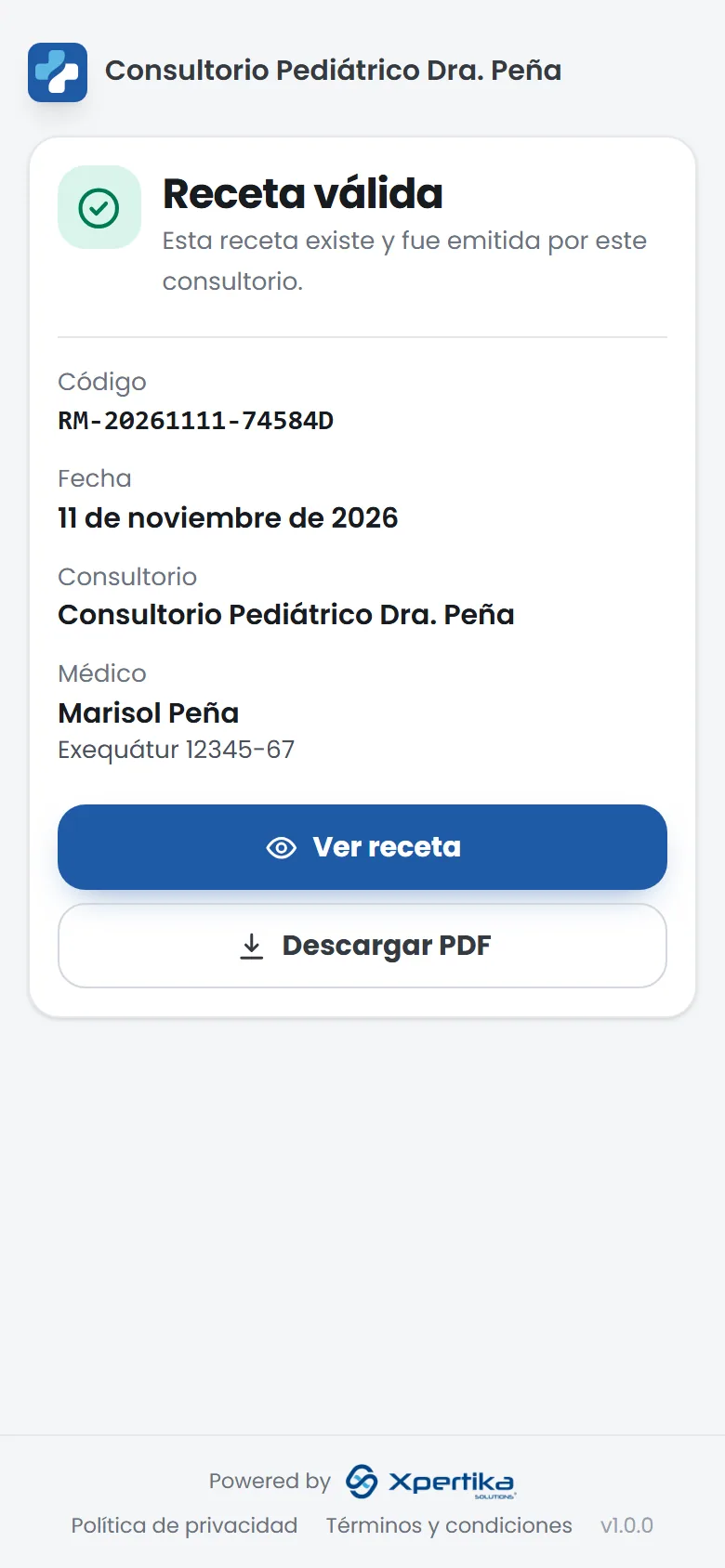
Scanning the QR code opens the prescription online, on the phone of the patient or of whoever fills it. It is the same prescription, in the same PDF, and no account is needed.
The signature is the image of your signature and your stamp, which you upload once in your settings. It is not a digital signature certificate. If your case requires one, check before replacing the paper prescription.
Questions about prescriptions
How does the prescription reach the patient?
Medika's electronic prescription can be printed on letter, A5 or A6 paper, downloaded as a PDF, or sent to the patient by email or WhatsApp. With the QR code turned on, scanning it opens the prescription online.
Does the prescription carry my signature and my medical license number?
Yes. The footer of the prescription shows your name, your specialty and your medical license number (exequátur), and you can add an image of your signature and your stamp. It is a signature image, not a digital signature certificate.
Can I change a prescription that was already delivered?
A prescription that was sent can no longer be edited, because the patient has that version. To correct it, you make a copy and change it, and it becomes a new prescription.
Also in Medika
Electronic health record
Each patient's digital medical record: profile, visits, physical exam, diagnoses, treatments and documents.
Scheduling and online booking
Your practice's medical agenda, and a link so your patients can book within the hours and rules you set.
Video visits
Visits by video or voice from the browser: you send the patient a link, they wait in a waiting room and come in when you admit them. No account and nothing to install.
Growth charts and BMI
For whoever sees children: the child plotted on the WHO and NCHS/CDC percentiles, using the data from their own visits.
Questionnaires
Clinical forms made to measure, with eleven question types, that the patient fills in from a link or you complete in their record.
Start with your next patient.
Choose your plan, create your account and open your first record. From USD 24.99 a month, VAT (ITBIS) included. If you would rather talk first, we are on WhatsApp.