
 Español
 Français
 Kreyòl ayisyen
 Italiano
 日本語
 Português
 Русский
 中文
Video visits, from the browser
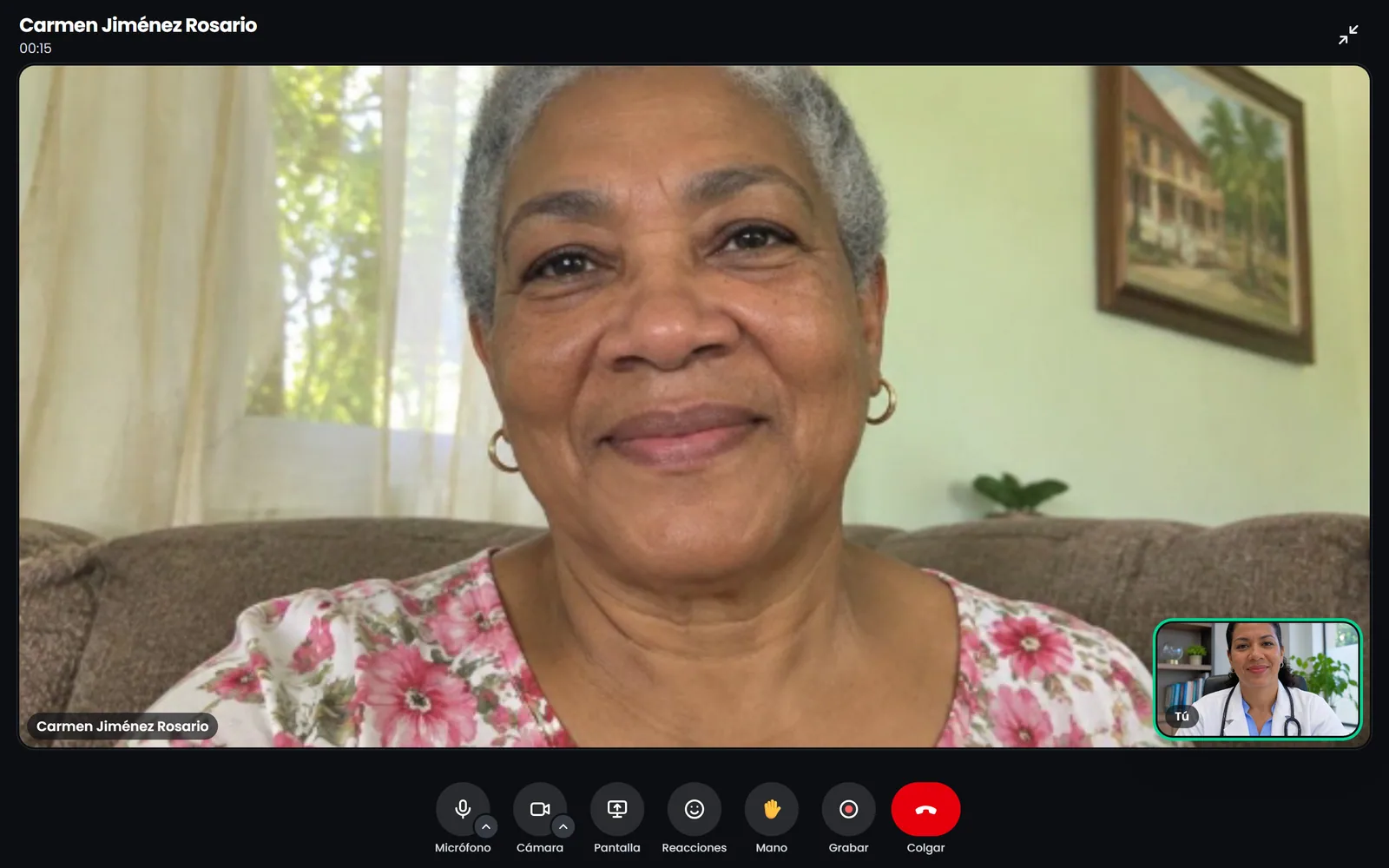
With Medika’s video visits you see a patient by video or voice without them installing anything: you send a link, they open it on their phone or computer, wait in a waiting room and come in when you admit them.
On every plan.
A video visit, step by step
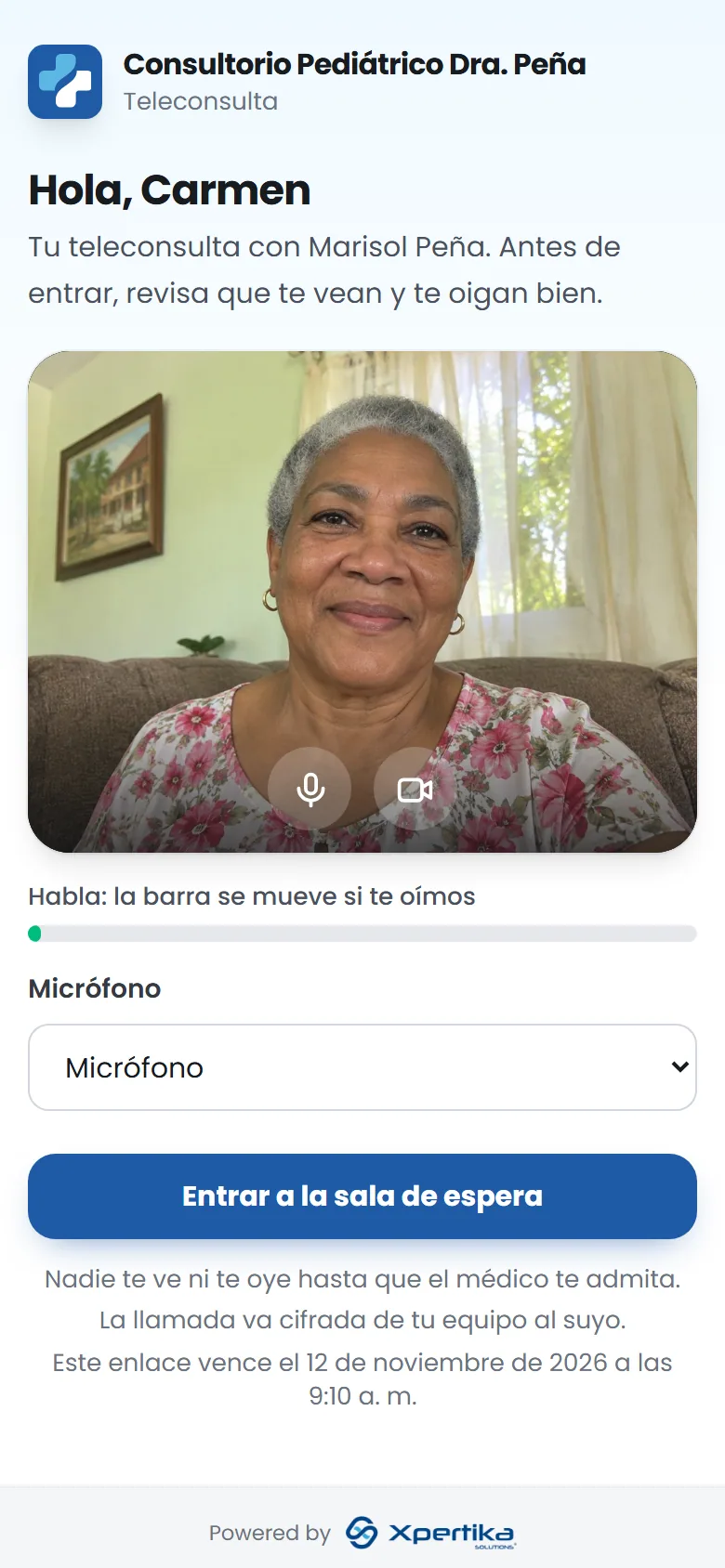
- You create the link from the patient’s record or from their appointment, and choose how long it lasts. If you do not, it expires after 24 hours or at the end of the appointment’s day.
- You send it by WhatsApp or e-mail, or copy it. The e-mail carries your practice’s name and says nothing clinical.
- The patient opens it, checks that their camera and microphone work and moves to the waiting room. Nobody sees or hears them yet.
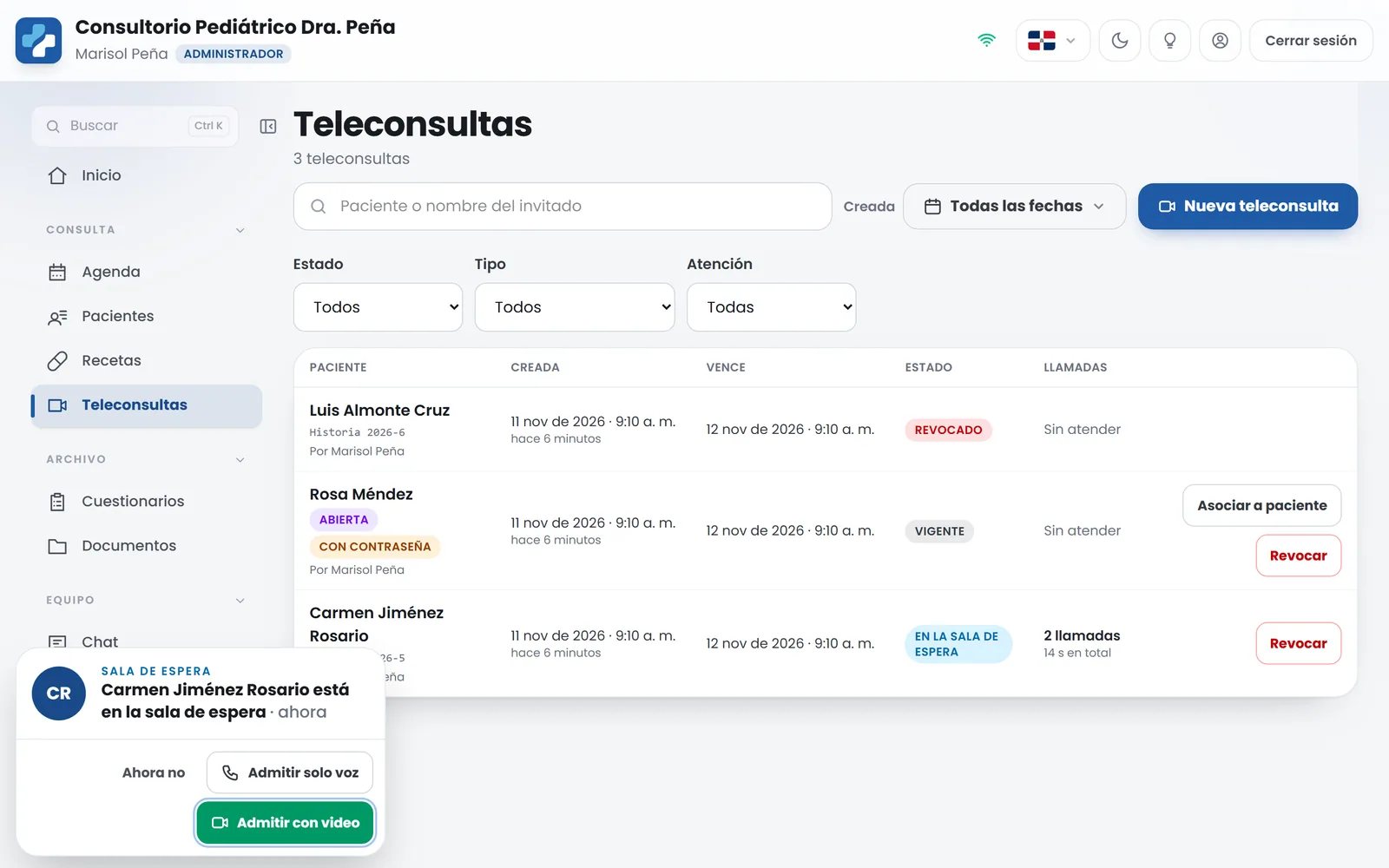
- Medika tells you in the panel, whatever screen you are on. You admit them with video or with voice only, and the call starts.
The call belongs to the two of you
Audio and video travel encrypted from your device to the patient’s. Medika’s servers only put you in touch: they neither see nor store the call. Recording needs both of you to agree, and the recording stays on the device of whoever records.
The link is a key, and you hold it
Every link expires on its own and you can revoke it whenever you want: if the patient was waiting or in the call, they are out at that moment. If you like, you set a password that you share some other way; after five wrong attempts the link locks for 15 minutes.
What else it brings
Video visits use the same calls your team talks with inside Medika.
Something it does not do yet: a video visit is between two people, you and the patient. There are no group visits.
- Video or voice only
- The patient can come in with the camera off, and you can admit them with voice only.
- Screen sharing
- To show a result or a picture while you talk.
- Open visit
- A link for someone who is not your patient yet. You tie it to their record afterwards.
- History
- Every link with its state, whether it was attended, how many calls there were and how long they lasted.
- Audit log
- It records when the patient entered the waiting room and when you admitted them.
Also in Medika
Electronic health record
Each patient's digital medical record: profile, visits, physical exam, diagnoses, treatments and documents.
Electronic prescription
PDF prescriptions with your signature, your stamp, your medical license number and a QR code, printed or sent by e-mail or WhatsApp.
Scheduling and online booking
Your practice's medical agenda, and a link so your patients can book within the hours and rules you set.
Growth charts and BMI
For whoever sees children: the child plotted on the WHO and NCHS/CDC percentiles, using the data from their own visits.
Questionnaires
Clinical forms made to measure, with eleven question types, that the patient fills in from a link or you complete in their record.
Start with your next patient.
Choose your plan, create your account and open your first record. From USD 24.99 a month, VAT (ITBIS) included. If you would rather talk first, we are on WhatsApp.