
 Español
 Français
 Kreyòl ayisyen
 Italiano
 日本語
 Português
 Русский
 中文
Medical scheduling and online booking
Medika's calendar organizes your practice's appointments by month, week or day. Your patients can also book from a link, within the hours and rules you set.
Scheduling is in every plan. Online booking is in Standard and Premium.
What your patient sees
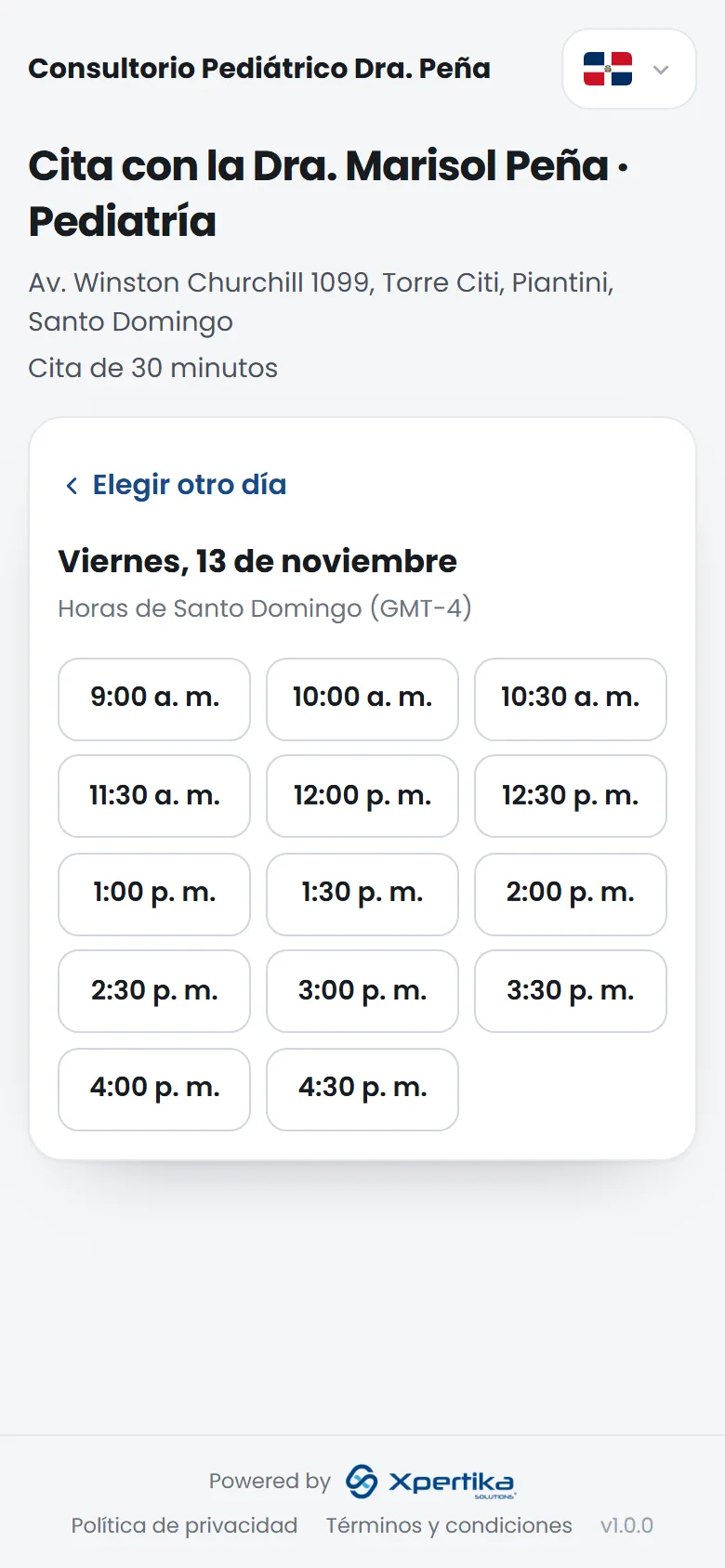
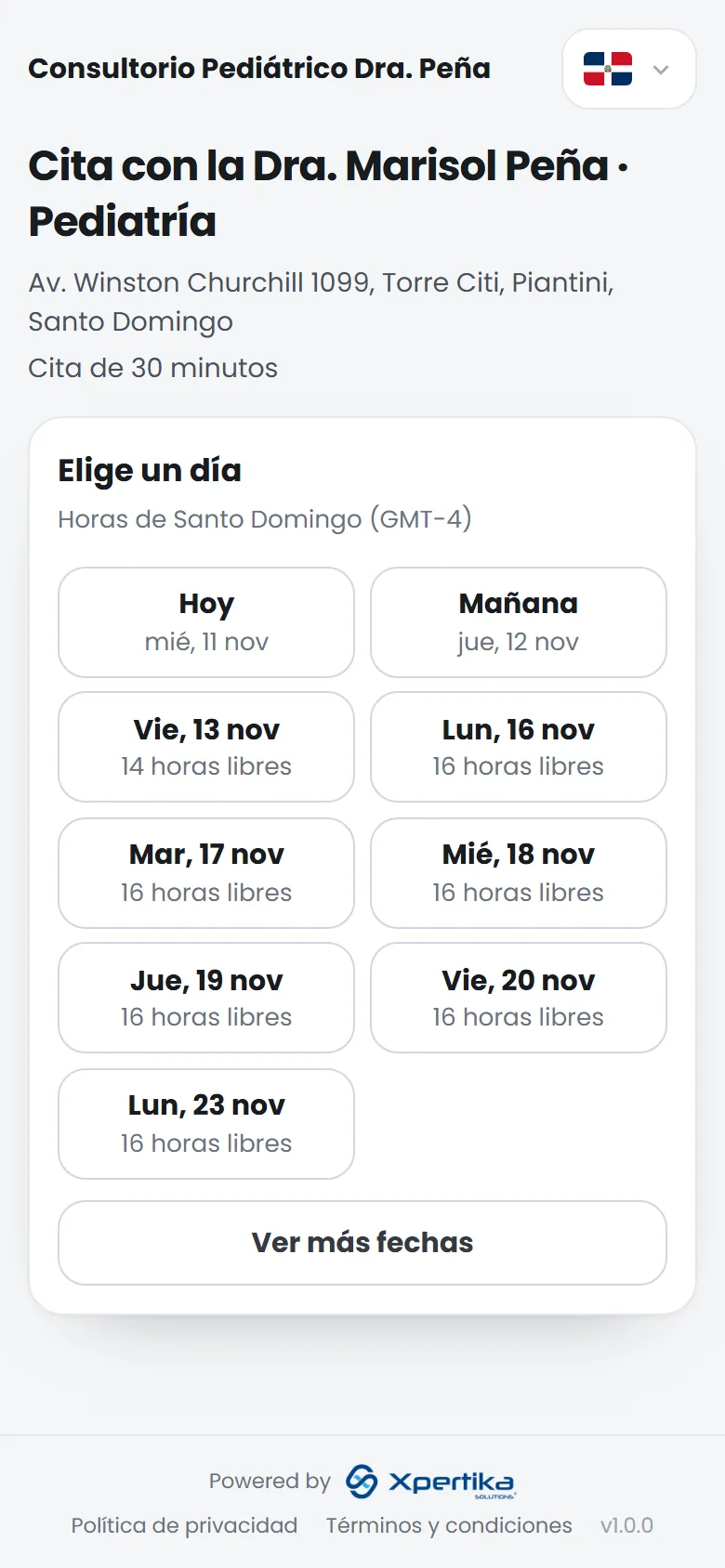
They open your link on their phone, with no account and nothing to install. They pick a day with free times, choose the time and leave their details. To finish, they confirm the appointment from the email they receive.
Your hours, your rules
A booking link is only useful if it respects how you work. You decide what can be booked, and you see it on your calendar while you set it up.
- Hours
- One or more time blocks for each day of the week.
- Appointment length
- 15, 30, 45, 60, 90 or 120 minutes.
- Notice
- The minimum number of hours ahead and the maximum number of days ahead that a booking can be made.
- Gap between appointments
- The minutes you want free between one patient and the next.
- Daily maximum
- How many online bookings you accept in a day.
- Location
- The address the patient receives in their confirmation.
How the patient books
No account and nothing to install. You send them your link on WhatsApp, or put it on your social media.
They open your link and pick a slot
They only see what is free: never what is already taken, or why.
They leave their name and email
That's all they are asked for to book.
They confirm from their email
This keeps your calendar from filling up with fake bookings: a booking that isn't confirmed in time frees the slot.
The appointment goes into your calendar
You both receive the confirmation, and the patient's email has a link to cancel if they can't make it.
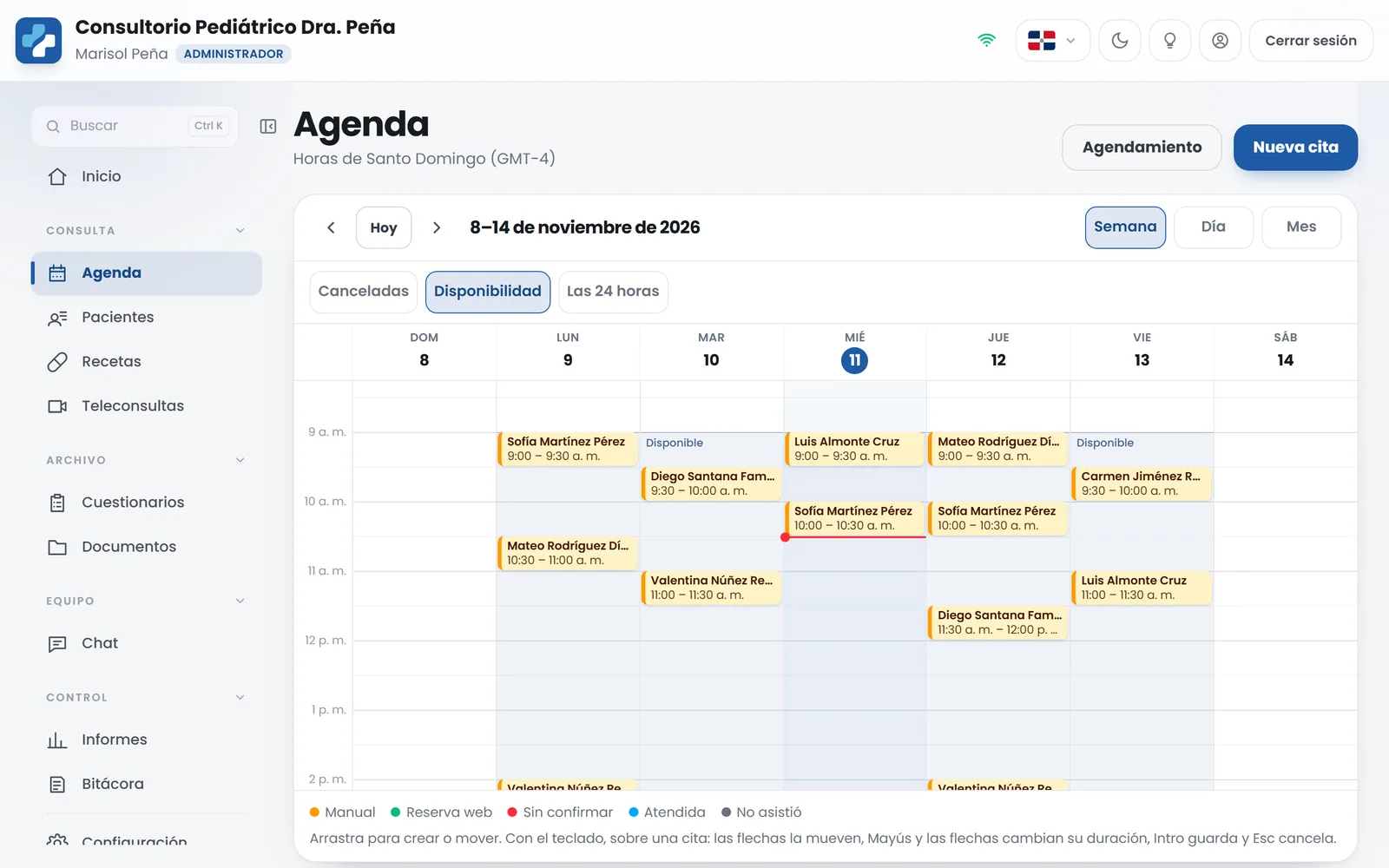
Your calendar for the day
Month, week and day views. You drag on the calendar to create an appointment and drag it to move it; each appointment can be linked to its patient, to reach their record with one click. Whoever has calendar permission can run it without touching the medical history.
And your own calendar
Every confirmed appointment arrives by email with a calendar invitation (iCal) that you can add to Google Calendar, Outlook or Apple Calendar. It is not a continuous sync.
Questions about scheduling
Can my patients book appointments online?
Yes, on the Medika Standard and Premium plans. You set your hours, the length of the appointment and your rules, share a link, and the patient picks a free slot. The appointment is confirmed once the patient confirms it from their email.
Does Medika sync with Google Calendar?
Each confirmed appointment arrives by email with a calendar invitation (iCal) that you can add to Google Calendar, Outlook or Apple Calendar. It is not a continuous sync.
Also in Medika
Electronic health record
Each patient's digital medical record: profile, visits, physical exam, diagnoses, treatments and documents.
Electronic prescription
PDF prescriptions with your signature, your stamp, your medical license number and a QR code, printed or sent by e-mail or WhatsApp.
Video visits
Visits by video or voice from the browser: you send the patient a link, they wait in a waiting room and come in when you admit them. No account and nothing to install.
Growth charts and BMI
For whoever sees children: the child plotted on the WHO and NCHS/CDC percentiles, using the data from their own visits.
Questionnaires
Clinical forms made to measure, with eleven question types, that the patient fills in from a link or you complete in their record.
Start with your next patient.
Choose your plan, create your account and open your first record. From USD 24.99 a month, VAT (ITBIS) included. If you would rather talk first, we are on WhatsApp.